logo

Free AI YouTube Thumbnail Maker

Edit, enhance, and restyle your photos instantly with AI text prompts.

thumbnail-maker
Jewelry
Gold Rings
Gold Rings
Pendant Portrait
Pendant Portrait
Amber Cosmetic Bottle
Bracelet
Bracelet
Face Serum
Face Serum
Models
AI Image Editor Online
AI Image Generator Online
AI Background Remover Online
AI YouTube Thumb Generator Online
AI Product Photography Online

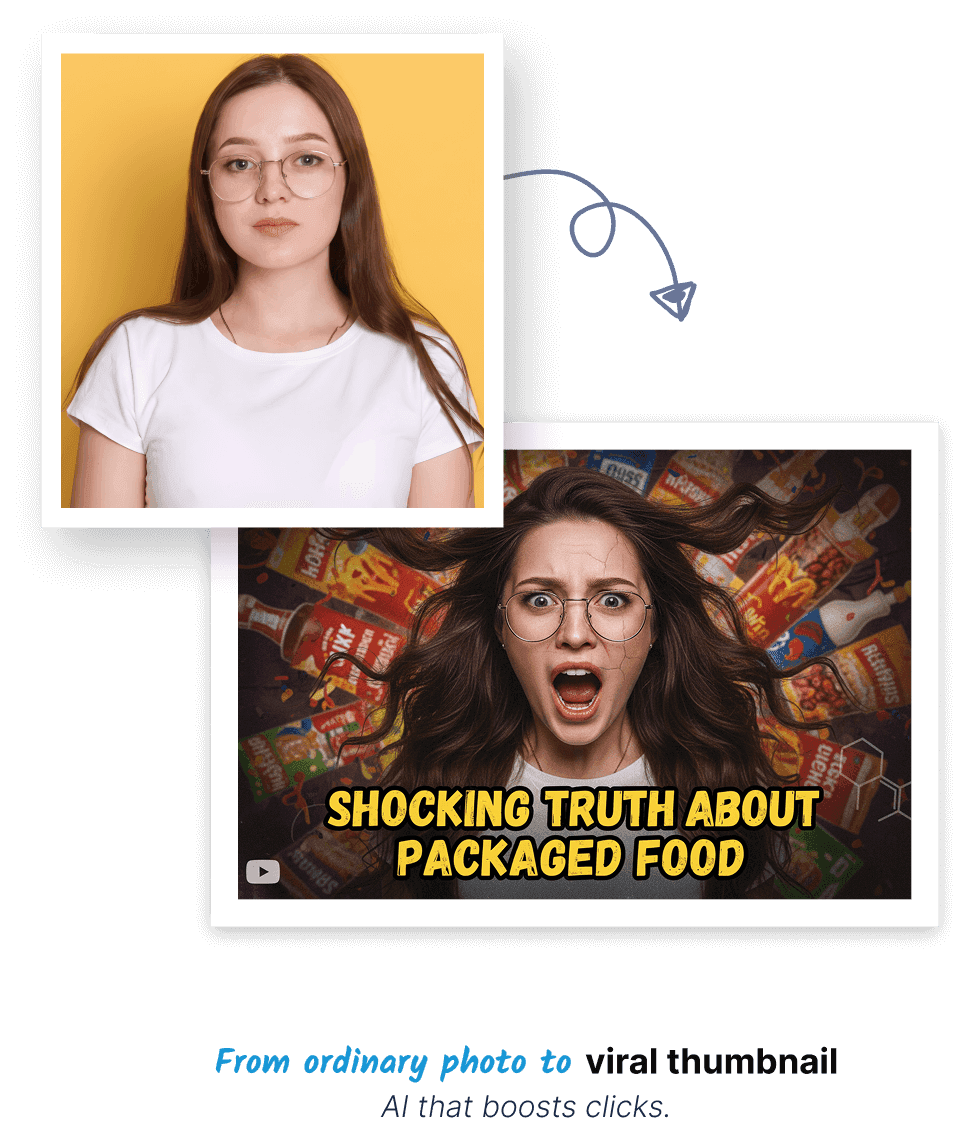
Thumb-Stopping YouTube Thumbnails

Make incredible looking, ready to publish YouTube Thumb through AI, no editing skills are needed.

Thumbnail Boost

Click-Optimized Thumbnails

Create catchy thumbnails which are optimized to fit busy feeds, and your videos will immediately be noticed even when they are displayed at small sizes.

Click-Optimized Thumbnails

Emotion-Driven Thumbs

Face Variations

Select among numerous facial expressions or moods, and it forms thumbnails that appear as original, natural, and just as well suited to the tone of your video.

Face Variations
Quick Answers

Frequently Asked Questions

Responses to frequently asked questions about creating eye-catching, click-optimized thumbnails with AI.

What makes a YouTube thumbnail click-worthy according to AI?

toggle

Our AI analyzes thousands of high-performing thumbnails to identify key elements: high contrast, expressive faces, bold text, vibrant colors, and clear focal points. The generator incorporates these proven engagement triggers to create thumbnails that stand out in YouTube searches and recommendations.

Can I customize the AI-generated thumbnails with my branding?

toggle

Absolutely! After generation, you can easily add your channel logo, consistent color schemes, and custom fonts. The AI provides a solid foundation that you can personalize to maintain brand recognition across all your video thumbnails.

What image dimensions work best for YouTube thumbnails?

toggle

We automatically generate thumbnails at 1280x720 pixels (16:9 ratio), which is YouTube's recommended size. This ensures your thumbnails look sharp on all devices from mobile phones to desktop screens without cropping or quality loss.

Can the AI create thumbnails for specific YouTube niches?

toggle

Yes! The AI understands different content categories. Specify your niche - gaming, vlogging, education, cooking, tech reviews - and the generator will apply style elements that resonate with that specific audience and content type.

How do I create consistent thumbnail series for my video series?

toggle

Use similar color palettes, text placement, and design elements across multiple thumbnails. The AI can remember your style preferences to maintain visual consistency that helps viewers instantly recognize your content in their feed.

Can I generate thumbnails without using my own photos?

toggle

Definitely! The AI can create complete thumbnail designs from scratch using only your video title and description. It will generate relevant background images, add compelling text overlays, and create engaging compositions without any source images.

What's the ideal text-to-image ratio in thumbnails?

toggle

Our AI follows the 70-30 rule: 70% visual impact, 30% text elements. It ensures text is large enough to read on mobile devices but doesn't overwhelm the visual appeal. Typically 3-5 words maximum for maximum impact.

Can the AI analyze my video title to suggest thumbnail concepts?

toggle

Yes! Paste your video title and the AI will generate multiple thumbnail concepts based on keywords and content type. It identifies the most compelling visual angles and emotional triggers from your title to create relevant, attention-grabbing thumbnails.

How do I create thumbnails that work on both mobile and desktop?

toggle

Our AI optimizes for both platforms by ensuring key elements are centered, text is legible at small sizes, and important details aren't lost when YouTube displays smaller thumbnail versions in related videos and mobile feeds.

How does the AI handle different emotional tones in thumbnails?

toggle

Specify the emotional tone you want - surprised, curious, excited, dramatic - and the AI will adjust facial expressions, color psychology, and composition to evoke that specific emotional response from potential viewers.

0
1
2
3
4
5
6
7
8
9
10
11

Transform your creative process

checkStart For Free
checkNo credit card needed
checkStudio-quality results
logo

Get AI creation tips, product updates, and real use-cases delivered straight to your inbox. No spam. No noise.

© 2026 EcomStation

Crafted with ❤️ in London